Drafts open in the wrong mail client
Open in Mail hands a Spiich draft to whatever your computer has registered for mailto: links, which is often a desktop app you never send from. Registering mail.google.com as Chrome’s email handler makes those drafts open in a Gmail compose window instead.
Before you start
- Google Chrome, or another Chromium browser with the same protocol handler settings.
- A Gmail account you are signed in to at mail.google.com.
Open in Mail on a Spiich draft is a plain mailto: link. Spiich does not decide where it opens; your computer does. If you read and send mail in a Gmail tab but mailto: still points at Apple Mail, Outlook desktop, or nothing at all, the draft lands somewhere you never send from.
Chrome can hand those links to Gmail instead. The setting is two minutes of work and it fixes every mailto: link, not just the ones from Spiich.
Which button opens what
| Button | What it opens | Setup needed |
|---|---|---|
Open in Gmail | A Gmail compose window, pre-filled | None. It goes straight to Gmail |
Open in Outlook web | Outlook on the web, pre-filled | None |
Open in Mail | A mailto: link | Whatever your computer has registered for mailto: |
Which buttons appear depends on the mailbox connected to your account, and the chevron beside the button switches between the web client and the desktop one. If Open in Gmail is on the card, use it and you can stop reading here. This guide is for Open in Mail, and for the mailto: links elsewhere in Spiich that have no web-client alternative, such as the Email button on an action column.
Point mailto links at Gmail
Gmail asks Chrome for permission to handle email links the first time you open it. Choosing Deny or Ignore on that prompt, which is easy to do without reading it, files the site under Not allowed to handle protocols and Chrome stops asking. That is why the fix starts by clearing the refusal.
Open Chrome's protocol handlers
Type or paste
chrome://settings/handlersinto the address bar and press Enter. Chrome refuses to followchrome://links clicked on a page, so this one has to be typed. Under Default behavior, make sure Sites can ask to handle protocols is selected.Remove Gmail from the blocked list
Look at the Not allowed to handle protocols list further down the page. If
mail.google.comis in it, click the X at the end of its row. Chrome is now allowed to ask again.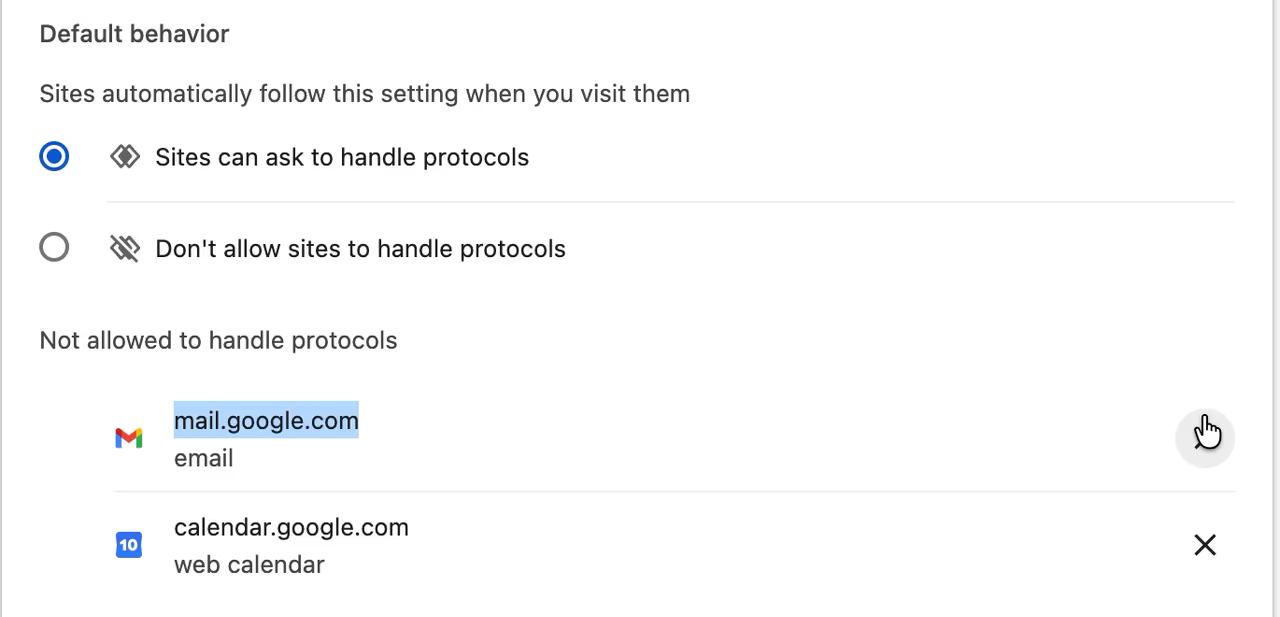
mail.google.com sitting in the blocked list. The X at the end of the row removes it. Open Gmail
Open mail.google.com in a new tab. If it was already open, reload it so Chrome looks at the site again.
Allow Gmail to handle email links
A small double-diamond icon appears at the right-hand end of the address bar, just left of the bookmark star. Click it, choose Allow in the "Allow mail.google.com to open all email links?" dialog, then click Done.
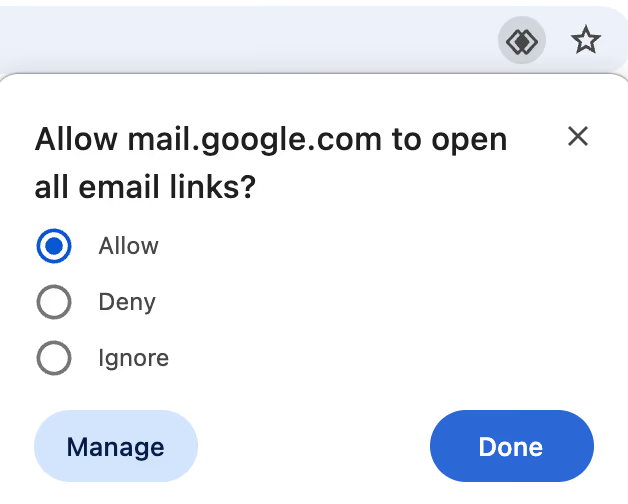
Pick Allow, then Done. Deny and Ignore are what put the site in the blocked list. Set Gmail as the default
Go back to
chrome://settings/handlers.mail.google.comnow appears under email. Open the three-dot menu at the end of its row and click Set as default. If that option is greyed out, Gmail is already the default and the row readsDefaultbeneath the address.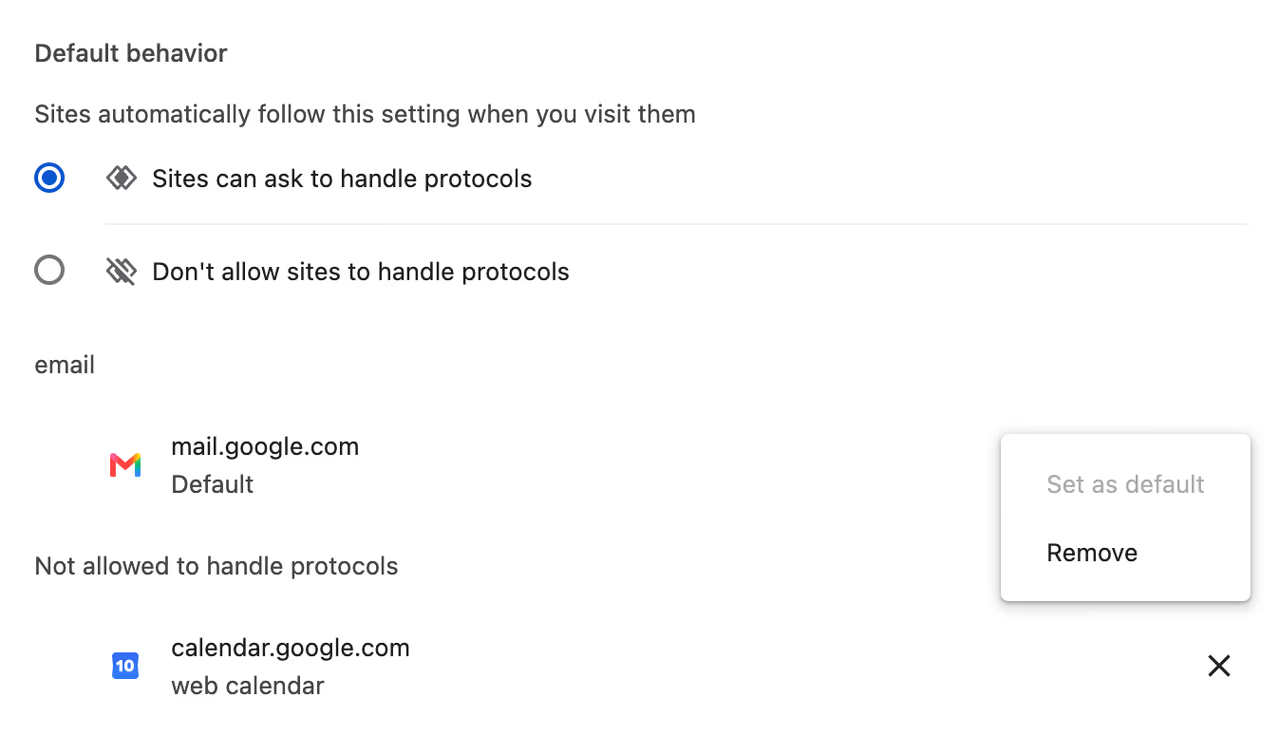
After allowing, mail.google.com moves under email. The three-dot menu on its row holds Set as default and Remove. Test it from a Spiich draft
Ask Chat to draft an email, or open a meeting's
Emailtab, and clickOpen in Mailon the card. A Gmail compose window should open with recipients, subject and body already filled in. Any othermailto:link works as a test too.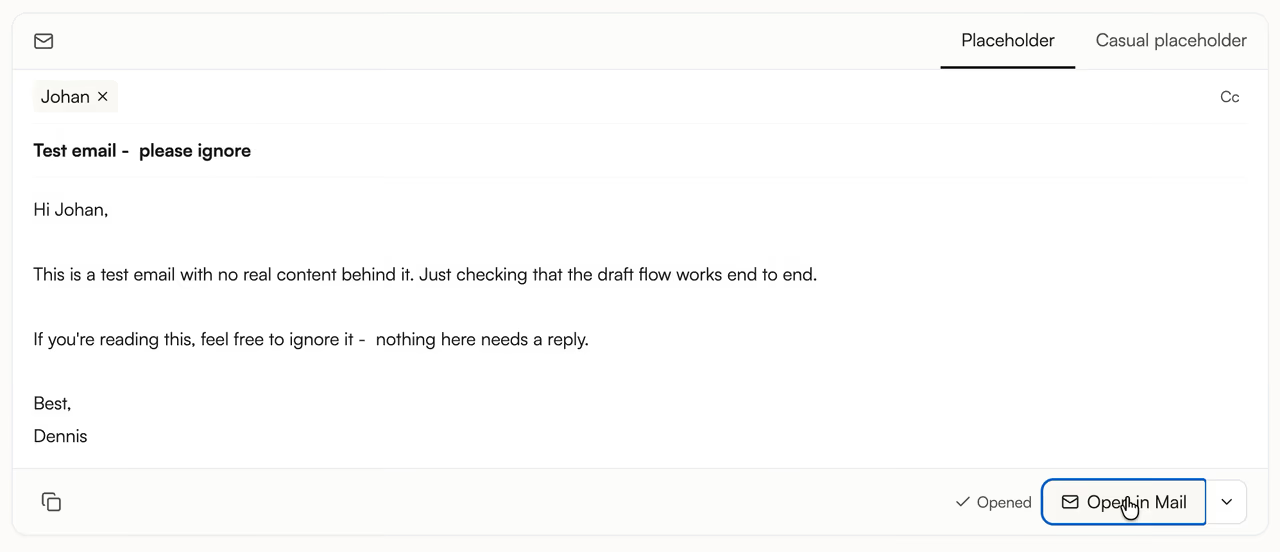
The draft card in Chat. Open in Mailis themailto:button; the chevron beside it switches between the web client and the desktop one.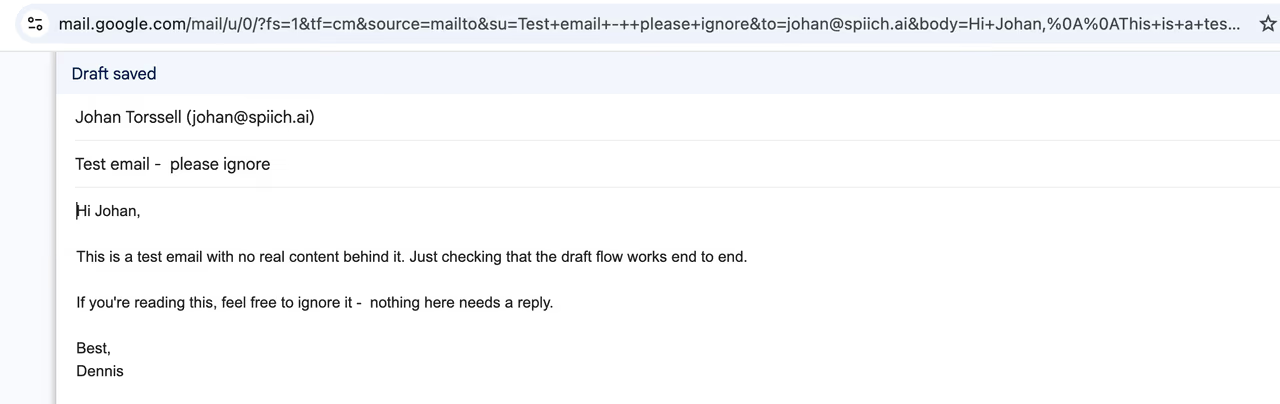
What success looks like: Gmail's compose window, opened from the mailto:link, with everything filled in and Send left to you.
The link still opens the wrong thing
| What happens | Why | What to do |
|---|---|---|
| Apple Mail or Outlook desktop opens instead | Chrome is not your operating system's mail handler, so the click never reaches Chrome's setting. | On macOS, open the Mail app and set Default email reader to Google Chrome under Mail > Settings > General. On Windows, open Settings > Apps > Default apps, find Google Chrome, and set it as the handler for MAILTO. |
| Nothing happens at all | No handler is registered anywhere on the machine. | Work through the steps above, then confirm Default behavior reads Sites can ask to handle protocols. |
| Gmail opens on the wrong account | Chrome sends the link to whichever Google account is first in the browser profile you are using. | Sign in to the account you send from first, or give that account its own Chrome profile and browse Spiich there. |
| The draft is copied to your clipboard instead of opening | The draft was longer than a compose link can carry, roughly 2,000 characters for a desktop client. This is not a handler problem. | Open a new message and paste. Recipients and subject came along with it. See Follow-up emails. |
The same works for Outlook on the web
Nothing above is specific to Gmail. Outlook on the web registers itself the same way: visit outlook.office.com for a work account or outlook.live.com for a personal one, allow the prompt, then set it as the default at chrome://settings/handlers. Only one site can hold the email default at a time, so choosing Outlook replaces Gmail.
Other browsers keep the same setting somewhere else. Edge uses edge://settings/content/handlers. Firefox handles it under Settings > General > Applications, on the mailto row. Safari has no per-site equivalent, so on a Mac the macOS default email reader is the only control.
What this does not change
Where a draft opens is a browser setting, not a Spiich permission. Spiich holds read-only access to your mailbox: it cannot send the message, and it cannot save it into your Gmail drafts folder either. Pointing mailto: at Gmail only changes which window the pre-filled message appears in. You still read it and press Send. See What Spiich will and will not do on its own.
Still stuck
Email hello@spiich.ai with the browser you use, what chrome://settings/handlers lists under email, and what actually happens when you click Open in Mail. You can also use the contact form.
Frequently asked questions
chrome://settings/handlers and stops Chrome asking again. Remove it from that list with the X on its row, then reload Gmail and the double-diamond icon comes back.